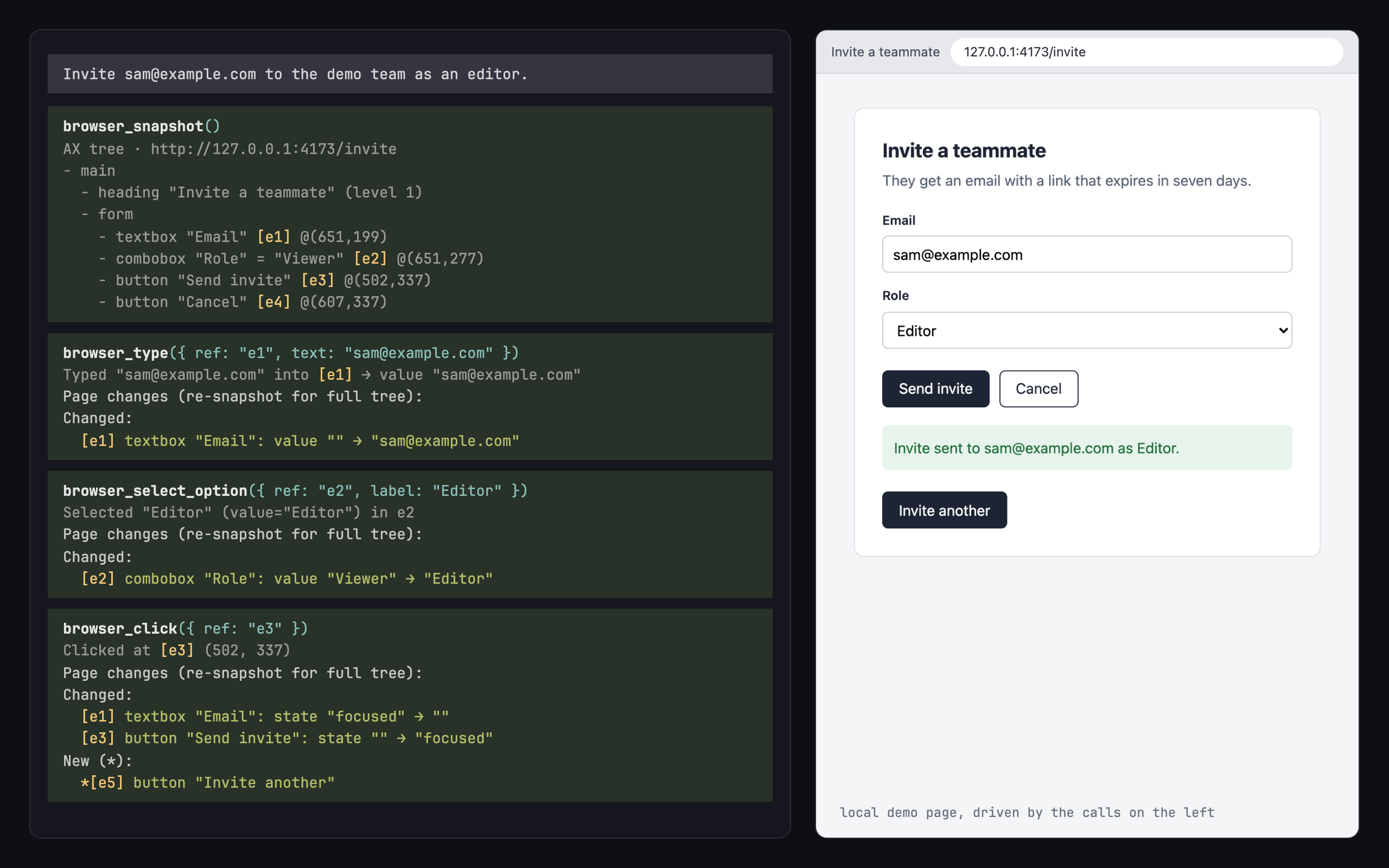
pi is a coding agent for the terminal, and amankumarsingh77/pi-browser-harness gives it a browser: the Chrome you are already signed into, over the DevTools protocol, with no second browser and no extra API key. This fork is for people who let an agent work in that same Chrome while they keep using it. It touches a tab you opened only after you say yes, it opens its own tabs in the background of your window without relaunching Chrome, and it refuses to attach when the debugging port belongs to some other browser.
- What it is
- a pi extension and a small daemon that holds the one connection to Chrome
- Browsers
- Chrome, Chromium, Brave or Edge with remote debugging turned on
- Needs
- pi and Node.js 22 or later
- Tools
- 43, of which 16 run in parallel and 27 one at a time
- License
- MIT
- Install
pi install git:github.com/lr00rl/pi-browser-harness
The Chrome you already have
flowchart LR
  P[pi session] -->|browser_* tools| E[extension]
  P2[another pi session] -->|browser_* tools| E2[extension]
  E -->|Unix socket| D[pi-browser-daemon]
  E2 -->|Unix socket| D
  D -->|one CDP WebSocket| C[your Chrome]
  F[DevToolsActivePort] -.->|port and path| D
You turn on remote debugging once, at chrome://inspect/#remote-debugging, and Chrome writes the port it listens on into a file called DevToolsActivePort in its profile folder. The daemon reads that file, opens one WebSocket to Chrome and keeps it, so it outlives each pi session and Chrome asks you to allow debugging only once. Every pi session talks to the daemon over a local socket, up to 16 at a time. A pinned profile, chosen once with /browser-profile, decides which logins, cookies and extensions the agent works with.
Refs, not pixels
Every control gets a handle
browser_snapshot returns the page’s accessibility tree. Every interactive element carries a ref like [e3] and its click point. The agent passes the ref, not the point, so it survives the re-render a form does on every keystroke.
browser_snapshot()
- main
  - heading "Invite a teammate" (level 1)
  - form
    - textbox "Email" [e1] @(651,199)
    - combobox "Role" = "Viewer" [e2] @(651,277)
    - button "Send invite" [e3] @(502,337)
    - button "Cancel" [e4] @(607,337)
The task in the hero picture took five calls against a local demo form:
browser_navigate({ url: "http://127.0.0.1:4173/invite" })
browser_snapshot()
browser_type({ ref: "e1", text: "[email protected]" })
browser_select_option({ ref: "e2", label: "Editor" })
browser_click({ ref: "e3" })
Each call that changes the page appends what changed, so the agent can confirm the step landed without a screenshot. The click’s answer, as the harness returned it:
Clicked at [e3] (502, 337)
Page changes (re-snapshot for full tree):
Changed:
  [e1] textbox "Email": state "focused" → ""
  [e3] button "Send invite": state "" → "focused"
New (*):
  *[e5] button "Invite another"
Clicks and keys go in at the compositor level, so iframes and shadow DOM work. browser_type types with real input events, reads the value back and falls back to the native setter when a framework reverts it. When the tools run out, browser_run_script runs a script with raw CDP and full Node access.
Reads in parallel, writes in a line
| Lane | Tools | How they run |
|---|---|---|
| Parallel, 16 | snapshot, screenshot, page_info, console, network_requests, http_get, execute_js, read_page, list_tabs, current_tab, wait, wait_for, run_script, run_recipe, save_recipe, setup | At once, with each other and beside a write |
| Serialized, 27 | click, type, fill_form, select_option, navigate, scroll, switch_tab, new_tab, close_tab, upload_file and 17 more | One at a time, in order, through a shared lock |
An agent can fire a snapshot, the network log and an HTTP read in one turn, and a burst of clicks queues up in order instead of racing.
What this fork adds
The fork is seven commits on upstream 0.16.0, from 8 to 11 November. None of the three behaviours below is in upstream’s source, which has since moved on to 0.19.2 with an opt-in background mode of its own.
Your tabs need a yes
browser_list_tabs shows only the agent’s own tabs unless asked for all. To touch one of yours, the agent passes its full target ID with allowUnowned: true, and pi asks you, naming the URL and the title. No answer in 60 seconds counts as no, and without an interactive UI the request is refused.
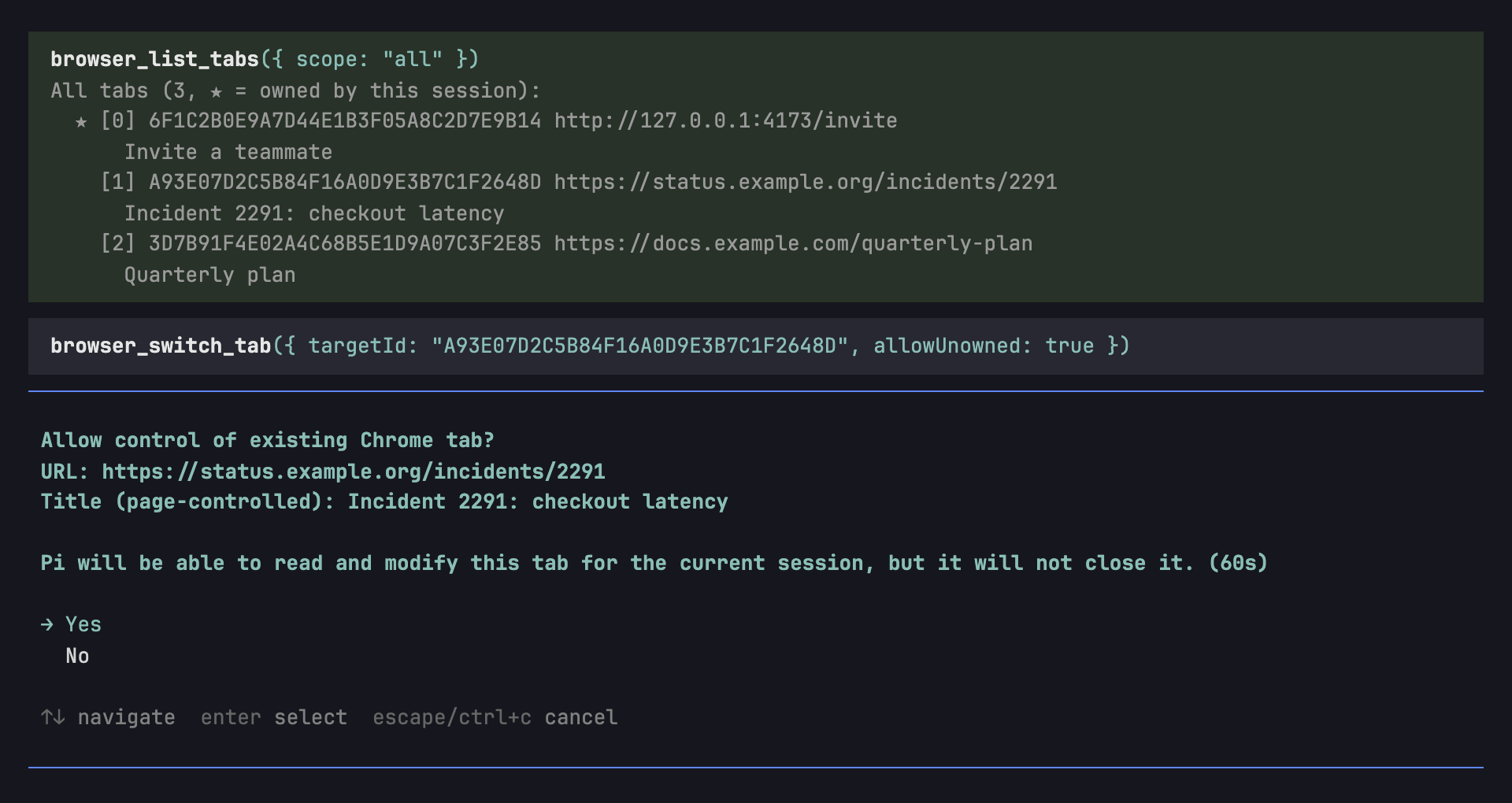
A borrowed tab never joins the agent’s tabs, is never closed by it and is never brought to the front. Chrome’s own pages, such as chrome://settings, cannot be borrowed at all.
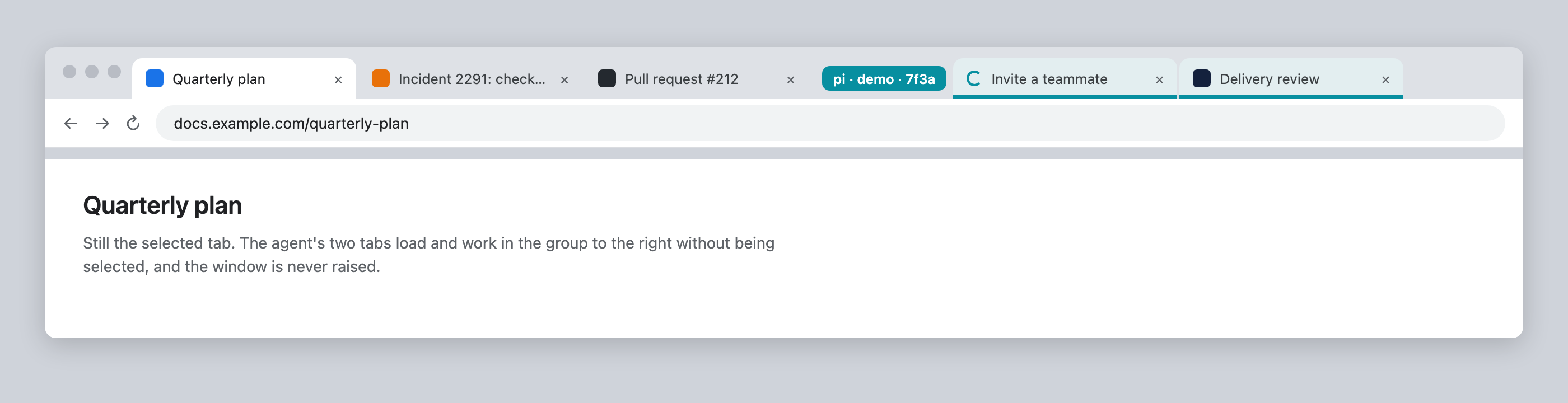
Agent tabs used to arrive in a window Chrome brought forward, sometimes after relaunching itself for the pinned profile. Now, when the pinned profile is the one Chrome last used, each agent tab opens as an unselected background tab in your current window. The tab you are reading stays selected and the window is not raised. Set PI_BROWSER_TAB_GROUPS=1 and the agent’s tabs are also filed under one group per session, named after the project and the session:
The third change came from an incident. An agent found a freshly reopened Chrome on port 9222, took it for a stray headless browser, killed it and started its own headless Chrome on the same port. The harness would then have driven that browser while claiming the user’s profile. DevToolsActivePort records the path the real browser wrote, and the port now has to report the same path, or the connection stops:
browser_snapshot failed (not_connected): port 60786 is held by a different browser than the one that wrote ~/Library/Application Support/Google/Chrome/DevToolsActivePort (probably a headless Chrome someone started). Agent: stop and ask the user; do not kill or launch any browser. User: quit that extra Chrome, open your Chrome, and re-enable chrome://inspect/#remote-debugging.Recipes
Every page-changing call is written to a journal, and after a multistep task the agent can save it as a recipe that replays with no model calls. This one was compiled from the five calls above, with the email and the role made into parameters:
name: invite-teammate
site: 127.0.0.1
version: 1
params:
  email:
    type: string
    example: [email protected]
  role:
    type: string
    example: Editor
steps:
  - navigate:
      url: http://127.0.0.1:4173/invite
    expect:
      url: http://127.0.0.1:4173/invite
  - type:
      role: textbox
      name: Email
      nth: 0
      text: "{{email}}"
  - select_option:
      role: combobox
      name: Role
      nth: 0
      label: "{{role}}"
  - click:
      role: button
      name: Send invite
      nth: 0
    expect:
      appeared:
        - role: status
          name: Invite sent to {{email}} as {{role}}.
Each step finds its element by role and name rather than by ref, waits up to five seconds for it, and checks that the page changed the way the recorded run did; here, that the status message appears. /browser-recipe invite-teammate [email protected] role=Viewer runs it. A failed step hands the agent a fresh snapshot, and the agent repairs the recipe from that step. Password fields are never journaled, and a task that typed into one cannot be saved.
Limits and security
It drives your real browser
The agent can read any page you are signed into, submit forms and act inside your sessions.
browser_run_scriptis full code execution in the pi process and can bypass the tab approval described above, so run only scripts you asked for.
Tab groups are off by default. Chrome has no tab-group API over CDP, so the harness loads a small helper extension into your profile with Extensions.loadUnpacked, and on a real Chrome 156 the first load was followed by a browser crash. When the pinned profile is not the one Chrome last used, or the browser is remote, agent tabs go to a dedicated background window instead; /browser-status says which. The port check is covered by unit tests and was exercised against a headless browser posing as the real one, not against a live takeover. The fork is not on npm: pi install npm:pi-browser-harness installs upstream’s package, without these changes.
Install
- Install the extension. Run
pi install git:github.com/lr00rl/pi-browser-harness. - Turn on remote debugging. Open
chrome://inspect/#remote-debugging(orbrave://inspect,edge://inspect), tick the checkbox and click Allow. - Connect once. Run
/browser-setupin pi. The connection survives across sessions and comes back on its own when Chrome restarts. - Pick a profile. On first connection pi asks which Chrome profile the agent should work in; change it later with
/browser-profile.