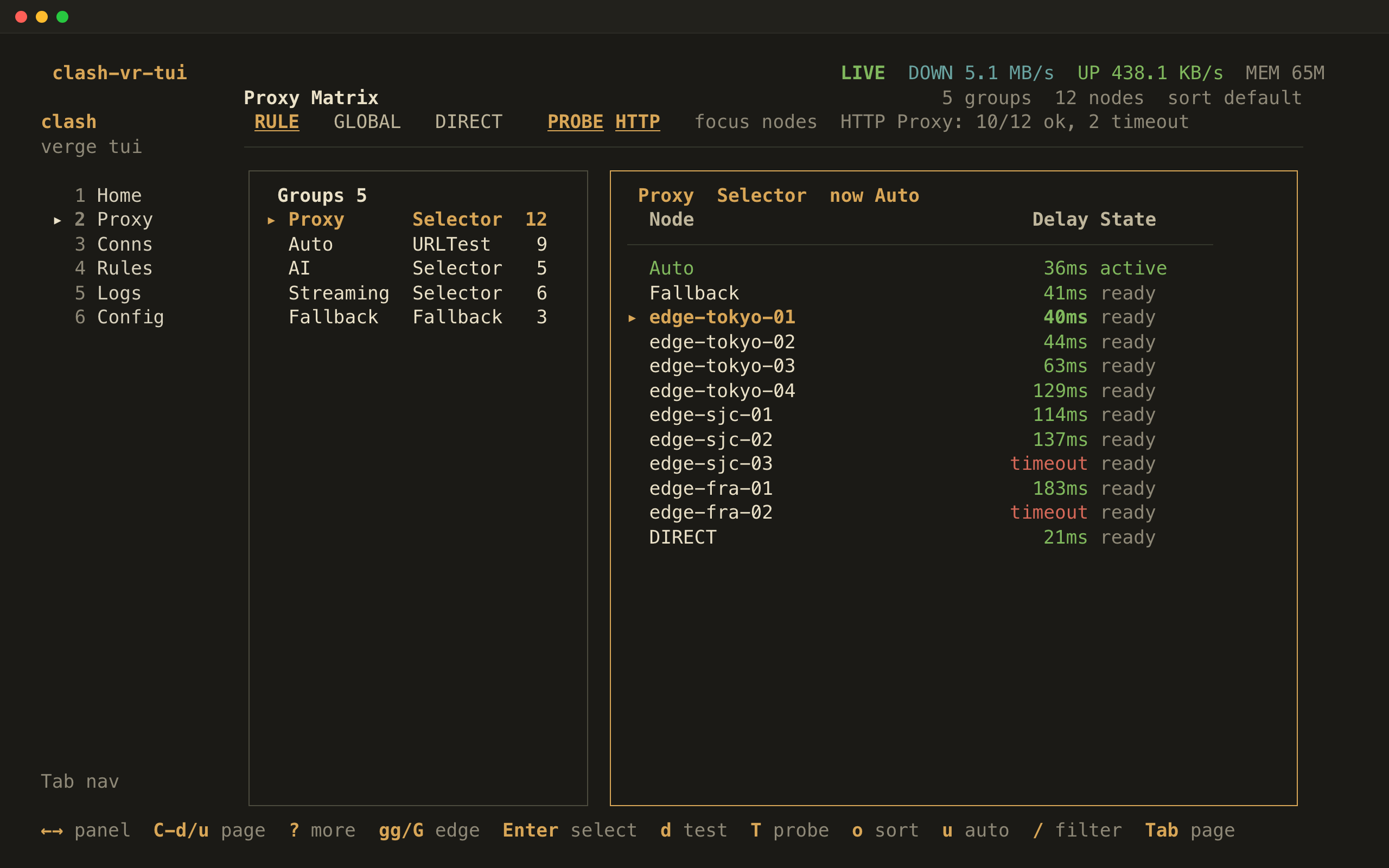
Clash Verge Rev is a desktop app. The mihomo core it runs is a server process with an HTTP controller, and the moment you want to look at it from an SSH session, a tmux pane or a script, the desktop window is no help. Which node does this group use right now? Why does one site time out while everything else works? Is the subscription about to expire? Is anything still going around the proxy?
clash-vr-tui answers those from the terminal. It is for people who run mihomo, with or without Clash Verge Rev, and would rather check it with a command than with a mouse: a keyboard-only TUI of six pages that fits a 72x24 pane, a subcommand for every action it can take, and a doctor that walks the whole path from the controller to the internet and prints the next step for each problem. It is one static binary, and it needs no flags on the machine that runs the core.
- Runs on
- Linux, macOS and Windows, on amd64 and arm64
- Talks to
- mihomo over its Unix socket, Windows named pipe or loopback TCP controller
- Needs
- nothing at run time; Go 1.25 or later to build from source
- Latest release
- v0.2.0, 2026-10-27
- License
- MIT
- Install
curl -fsSL https://raw.githubusercontent.com/lr00rl/clash-vr-tui/main/scripts/install.sh | sh
It finds the controller
Run it with no flags and it looks for a core on its own. discover shows what it found and which one it will use:
$ clash-vr-tui discover
  ADDRESS                       KIND    STATE    VERSION   SOURCE
* /tmp/verge/verge-mihomo.sock  socket  ok       v1.19.32  process verge-mihomo -ext-ctl-unix (+2)
  127.0.0.1:9097                tcp     refused  -         config ~/.local/share/io.github.clash-verge-rev.clash-verge-rev/clash-verge.yaml
The running processes come first: the -ext-ctl-unix, -ext-ctl and -ext-ctl-pipe flags of any mihomo or clash process, and the config file it loaded. Then the config files in the Clash Verge Rev app directory and the usual mihomo, clash and clash-meta places. Then the paths Clash Verge Rev is known to use, such as /var/run/clash-verge-service/users/<uid>/verge-mihomo.sock in service mode, and the verge-mihomo pipe on Windows. The first one that answers GET /version wins. Processes outrank files because Clash Verge Rev in service mode passes the socket on the command line while its generated clash-verge.yaml can name an older controller, like the TCP address above that refuses.
Flags, environment variables and a config file can name the controller instead. Whichever of them names it also supplies its secret, so a secret from the config file is never sent to a server given on the command line.
Six pages
Home, Proxies, Connections, Rules, Logs and Config sit in a numbered sidebar, 1 to 6 or Tab. Every page works with the keyboard alone, and the status bar says LIVE while the traffic, connection and log streams are current, or STALE with the time of the last update while they reconnect.
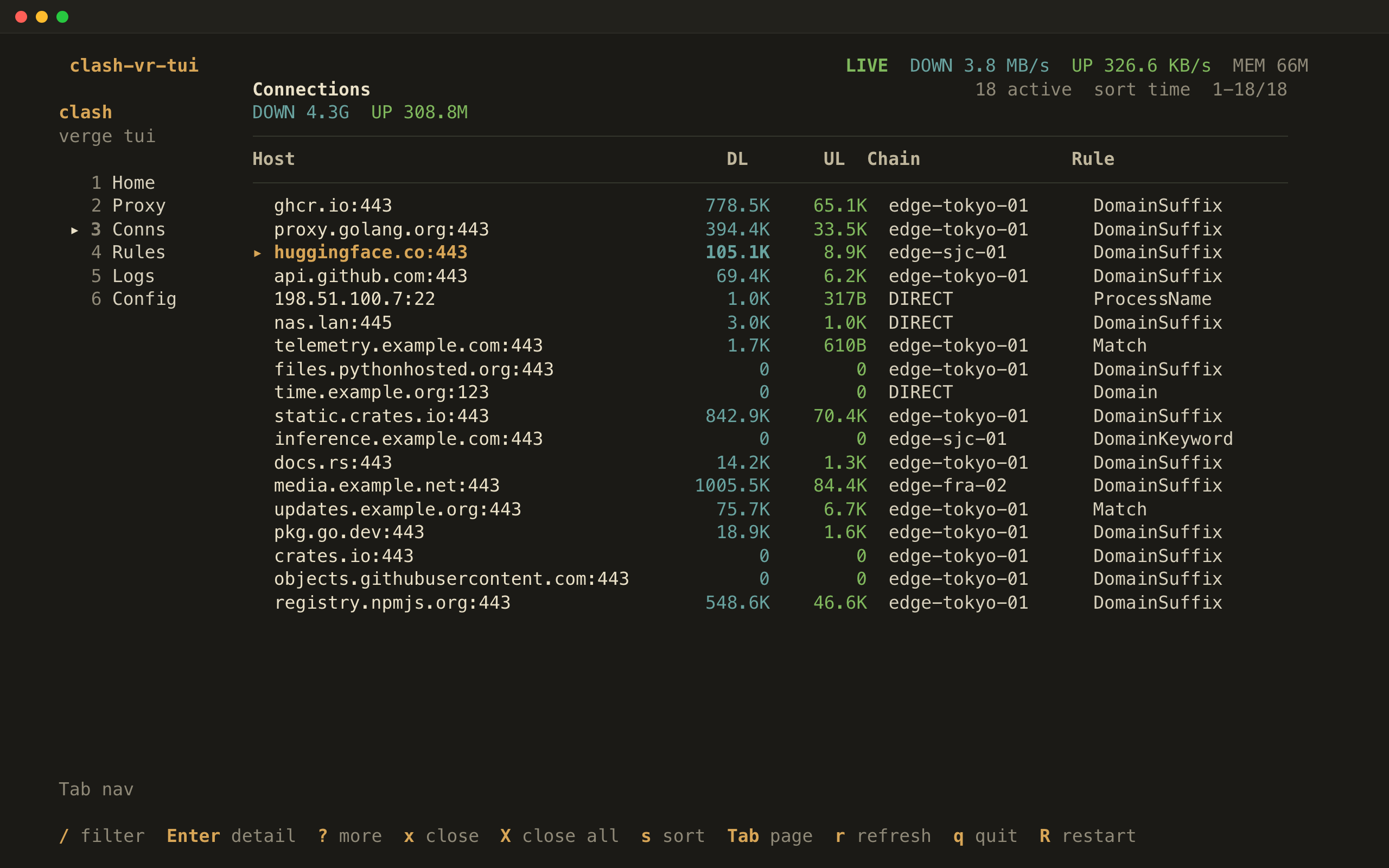
/ filters by host, process or address, Enter opens one, and x closes it.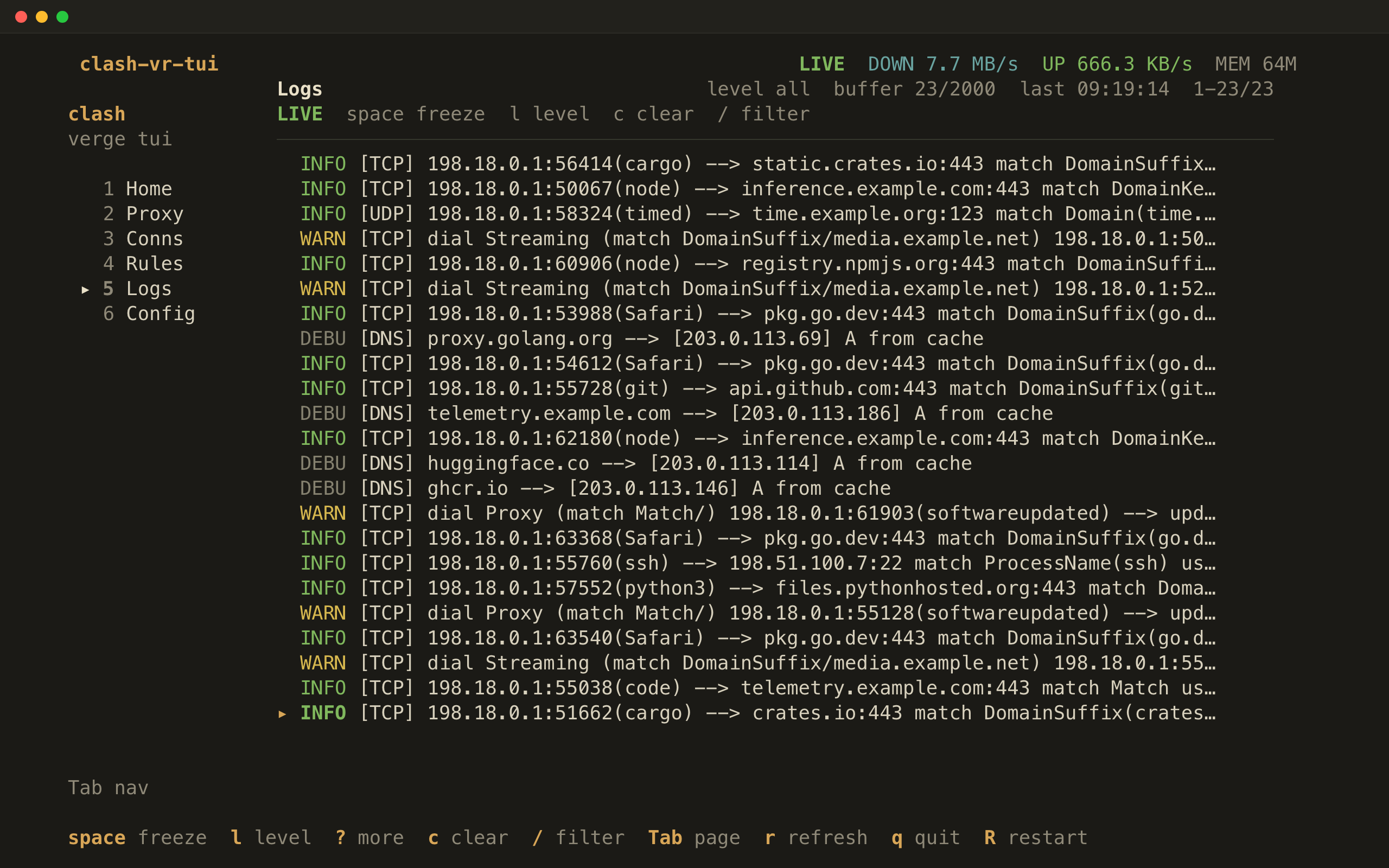
l raises the minimum level, / filters, and space freezes the view while collection goes on.Sized for real panes
Below about 80 columns, Proxies shows one panel at a time: Enter opens a group and Esc goes back. The sidebar shortens its labels and the key line keeps the action for the current page first.
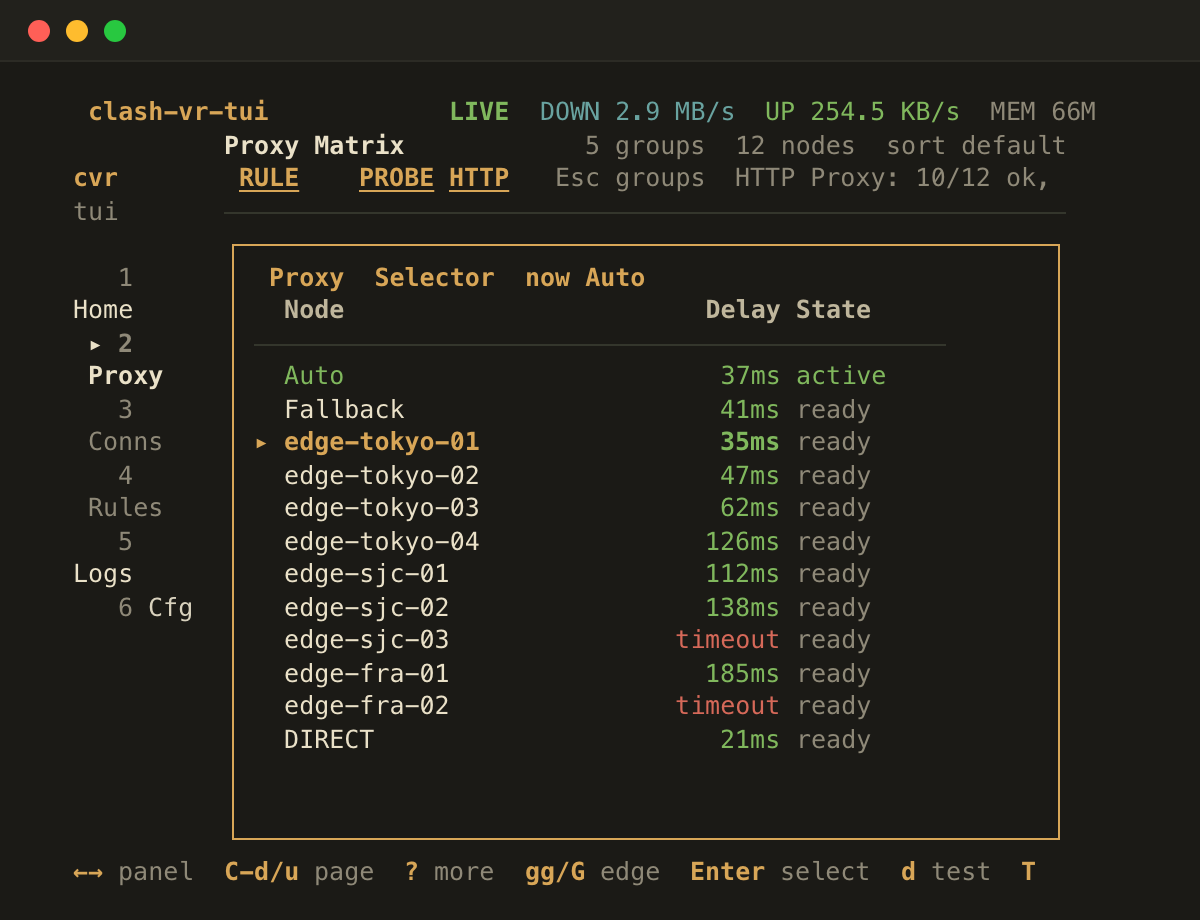
A node’s latency can be measured three ways, and T cycles them. Each test reports every node as a delay, timeout, skipped or error, with a count in the header such as HTTP Proxy: 10/12 ok, 2 timeout, so a partial result never reads as a pass. Results are kept per mode.
| Mode | What it measures | Good for |
|---|---|---|
| HTTP | mihomo’s own delay test through the tunnel, to the group’s test URL | whether the node works end to end; the most reliable signal |
| TCP | a raw connect to the node’s server:port | whether the server is up at all |
| ICMP | an echo round trip to the node’s server | the network path, apart from the proxy protocol |
The mihomo API does not expose a node’s server address, so TCP and ICMP read it from the running mihomo config. A node whose server only resolves through the tunnel will not answer them.
The changes that can cut you off ask first: turning on Allow LAN, turning off TUN, and switching to global or direct mode wait for y. After every change the page reads the setting back from the core and shows what held, not what was asked for.
Every action is a subcommand
Anything the TUI can do, a command can do, so you never need the TUI on a server or in a script. clash-vr-tui help lists all 17 with their flags.
| Group | Commands |
|---|---|
| Find | discover |
| Inspect | status, proxies, nodes <group>, conns, rules, providers, config |
| Live | logs [--level L] [--grep S] [--for DUR] |
| Control | switch <group> <node>, test <group>, unpin <group>, mode, close, flush dns|fakeip, restart |
| Diagnose | doctor |
Commands that print data take --json. The exit status is 0 on success, 1 when the core refuses or a check fails, and 2 for a usage mistake.
$ clash-vr-tui test Auto --timeout 2000
edge-tokyo-01                            37ms
edge-tokyo-02                            44ms
edge-tokyo-03                            60ms
edge-sjc-01                              114ms
edge-tokyo-04                            132ms
edge-sjc-02                              140ms
edge-fra-01                              188ms
$ clash-vr-tui logs --level warning --for 10s
09:24:01 WARN  [TCP] dial Proxy (match Match/) 198.18.0.1:58265(softwareupdated) --> updates.example.org:443 error: ...
09:24:07 ERROR [Provider] backup pull error: Get "https://sub.example.com/***": http status 403 Forbidden
switch and unpin change one group and say what the core now selects. config set tun on changes a setting and exits non-zero if the core did not keep it.
Doctor
One finding per problem, each with a next step
doctor prints ok, info, warn or FAIL for each check, the evidence under it, and after -> the command or setting that fixes it. It exits 1 when anything fails.
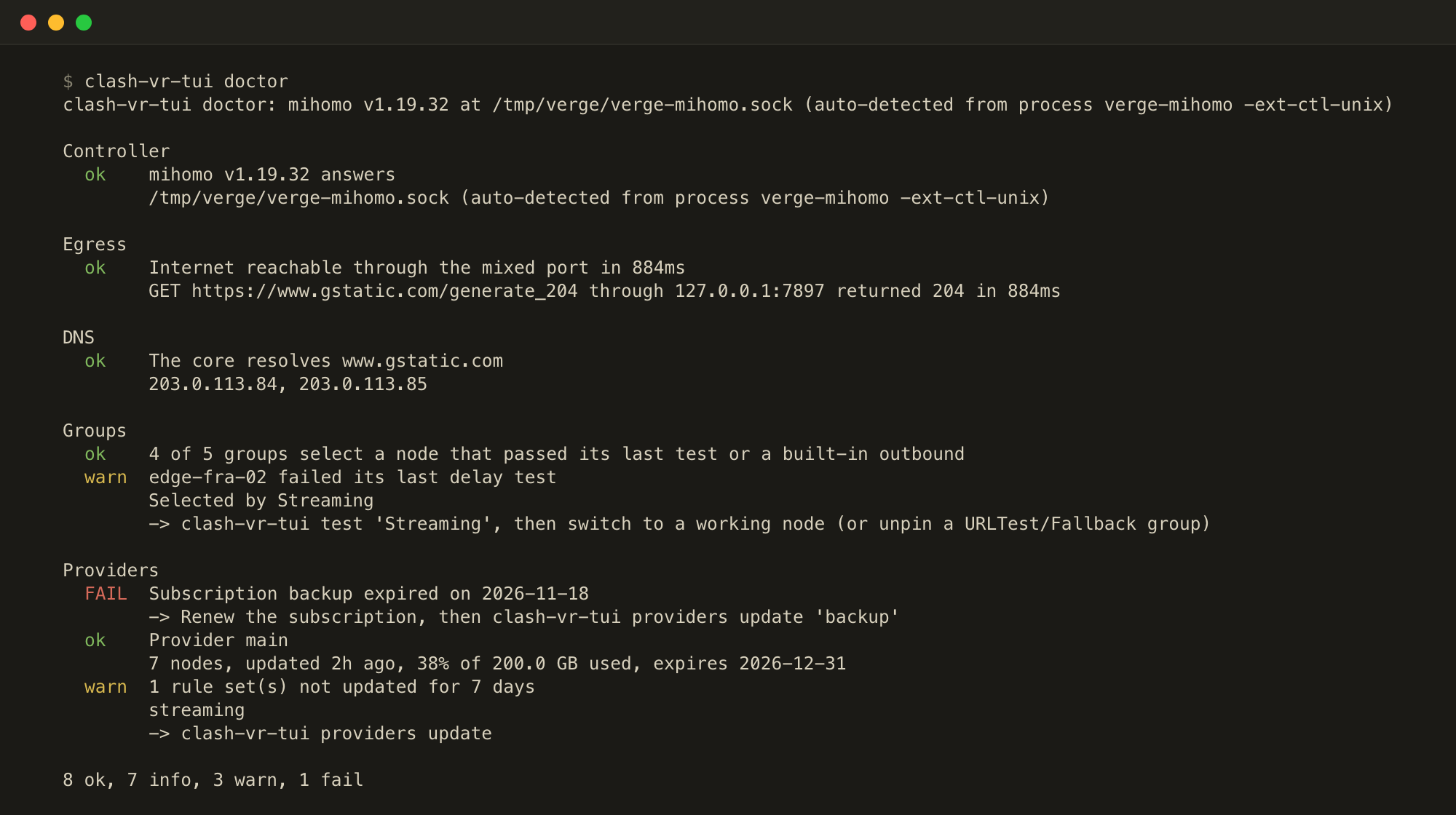
A run takes about as long as its log capture, ten seconds by default. It reads the runtime config for settings that commonly cause trouble (direct mode, LAN exposure with no authentication, debug logging, TUN off with no system proxy), then checks the system proxy, including the PAC file Clash Verge Rev serves on loopback. It sends a real request through the mixed port and resolves a name through the core’s DNS. It finds groups whose selected node failed its last test (--probe tests them fresh), subscriptions that have expired or are close to their quota, connections that fell through to the final MATCH rule, and repeated warnings in the log capture, grouped by pattern. Last come recent errors in the Clash Verge Rev logs and any other Clash client that would fight over the same ports and routes.
flowchart LR
  A[Controller] --> B[Runtime config]
  B --> C[System proxy]
  C --> D[Egress through the mixed port]
  D --> E[DNS through the core]
  E --> F[Groups and nodes]
  F --> G[Subscriptions and rule sets]
  G --> H[Routing and MATCH]
  H --> I[Core logs]
  I --> J[Clash Verge Rev logs]
  J --> K[Other clients]
doctor --out ~/cvt-reports also writes report.md, report.json, the captured log lines, the connections and the runtime config into a new directory that only you can read, for keeping or for handing to someone who helps you.
What it will not do with a secret
The controller API is plain HTTP and WebSocket. clash-vr-tui will not send a controller secret to any address that is not loopback; for a core on another machine, forward its controller over SSH and connect to the local end. --secret-file reads the secret from a file, so it stays out of shell history and the process list.
Subscription URLs carry the account token, so every URL it prints, in log lines, errors and reports, is cut to its scheme and host, as in the sub.example.com/*** line above. The doctor bundle keeps only an allowlist of runtime settings: inbound credentials are recorded as present or absent, never copied, and profile files are never read into it. Text that comes from the controller is stripped of control characters before it reaches your terminal.
Limits
- It reads and steers a running core. It does not edit profiles, manage subscriptions or set the desktop system proxy; Clash Verge Rev or the mihomo config still does that.
- TCP and ICMP latency need the node addresses from the mihomo config on disk, so they only work on the machine that runs the core, and ICMP may need root or
CAP_NET_RAW. - Windows support covers named pipes and TCP controllers and is the least tested of the three systems.
doctorreads the system proxy fromscutilon macOS but only from the shell’s environment on Linux, so a desktop-wide proxy set in GNOME or KDE is not checked.
Install
- Install the binary. The installer downloads the archive for your system, checks it against the release’s
checksums.txt, and stops without installing if the checksum is missing or wrong. It installs to~/.local/bin; setBINDIRto change that, orVERSION=v0.2.0to pin a release. - See what it finds.
clash-vr-tui discoverlists the controllers on this machine and marks the one it will use. Pin another with--socketor--server. - Check the setup.
clash-vr-tui doctorruns every check once and tells you what, if anything, to fix. - Open the TUI.
clash-vr-tuiwith no arguments. ? lists the keys of the current page, and q quits.
$ curl -fsSL https://raw.githubusercontent.com/lr00rl/clash-vr-tui/main/scripts/install.sh | sh
$ clash-vr-tui doctor
Every picture here comes from a made-up controller in the repository, scripts/demo, which serves invented groups, nodes, connections, providers and log lines on a Unix socket, so you can try clash-vr-tui without a core of your own:
$ go run github.com/lr00rl/clash-vr-tui/scripts/demo@latest -socket /tmp/cvt-demo/mihomo.sock -mixed 127.0.0.1:7897
$ clash-vr-tui --socket /tmp/cvt-demo/mihomo.sock- Source: github.com/lr00rl/clash-vr-tui (MIT)