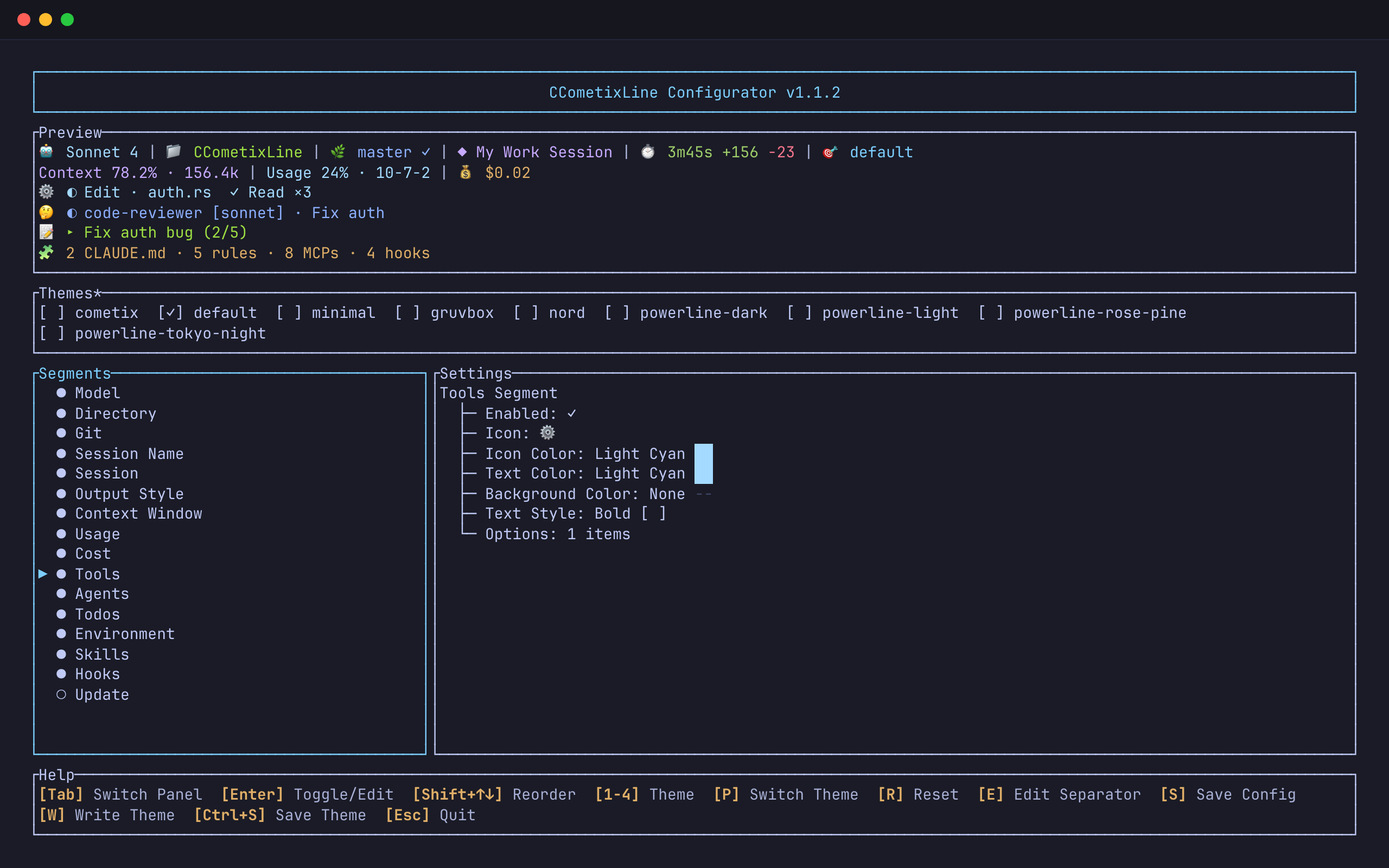
Claude Code runs a statusline command after every reply. It writes a JSON description of the session to the command’s input and prints whatever comes back under the prompt. Haleclipse/CCometixLine is a fast one in Rust: the model, the directory, git, how much of the context is used, the account’s quota and the cost so far, with themes and a configurator.
That is what you need to watch one session. With several agents under several logins, the questions change: which tool is running right now, which subagent is still out, how far the task list has got, which CLAUDE.md files, rules, MCP servers, hooks and skills this session actually loaded, and whose quota the bars describe. This fork adds the lines that answer them, and makes the tool work for agents that are not Claude Code.
- Fork of
- Haleclipse/CCometixLine v1.1.2, released 2026-03-15
- Distance
- 30 commits ahead; upstream has one newer commit, a lint fix from 2026-10-21
- Written in
- Rust; the built binary is
ccometixline, installed asccline - Works with
- Claude Code and pi through their statusline hook; Codex and Kimi by reading their session files
- License
- MIT, like upstream
- Install
cargo build --release; the npm package and release archives install upstream

One payload, eight lines
Each segment reads one source. The model, folder, cost and output style come from the JSON on stdin. Git runs git in the session’s folder. Everything about what happened in the session comes from the transcript whose path the payload names, read line by line. The environment line reads files: CLAUDE.md in your home and in the project, the rule files next to them, and the MCP servers and hooks in settings.json. Upstream joins every segment into one line; the fork gives each segment a line number in config.toml, so the rows group by meaning.
| Segment | Shows | Added in the fork |
|---|---|---|
| Model, Directory, Output style, Cost | from the payload | |
| Git | branch, state, ahead and behind, short sha | modified and untracked file counts |
| Session | elapsed time, lines added and removed | an optional output speed |
| Context window | how full the context is | a bar and a token split: new input, cache writes, cache reads |
| Usage | 5-hour and 7-day quota | bars, time used in each window, and the active profile’s own login |
| Session name | the title you gave the session with /rename | new |
| Tools | running and recent tool calls, with counts | new |
| Agents | running and finished subagents, with their model | new |
| Todos | the task list, from TodoWrite or TaskCreate and TaskUpdate | new |
| Environment | CLAUDE.md files, rules, MCP servers, hooks | new |
| Skills | skills the session called | new |
| Hooks | hook runs and a count per event | new |
| Update | upstream’s notice of a newer release |
What the session is doing now

◐ marks something still running and ✓ something finished; the part after => counts everything so far, so TskNew×3 says three tasks were created. A tool shows its key argument: the file name for an edit, the first characters of a shell command, the pattern for a search. With show_args off, the tools line switches to the most frequent calls. The todos line puts the finished item, the current one and the next one in a row with the progress, (1/3). Skills are kept apart from tools, so a Skill call shows only on the skills line, with its namespace removed.
Usage for the account that started it
The usage segment shows the quota of the Claude login that launched the statusline. Start a second profile with CLAUDE_CONFIG_DIR set and the same binary reads that profile’s login:
alias claude-work='CLAUDE_CONFIG_DIR="$HOME/.claude-work" claude'On macOS the login is in the Keychain. The default directory uses the item Claude Code-credentials; any other directory uses that name plus the first 8 hex characters of a SHA-256 over the exact directory string, so ~/.claude-work, its absolute path and the same path with a trailing slash are three different items. Upstream always read the default item on macOS. With a directory set, the fork never falls back to ~/.claude: a missing login shows no usage rather than another account’s. On Linux and Windows the login is $CLAUDE_CONFIG_DIR/.credentials.json. Usage is cached for five minutes per account in <dir>/ccline/.api_usage_cache.json, and ccli reads that cache for its offline quota.
Codex, Kimi and pi
pi, with the pi-statusline package, runs a statusline command the way Claude Code does and sends a context_window block with the real limit and token counts of whatever model it runs; ccline prefers it to its own model table. Codex and the Kimi Code CLI have no external statusline hook, so --codex and --kimi read their session files instead: the newest session, preferring one whose folder is the current one, with the model and the last token count.

ccline --codex in the project folder. The context comes from Codex’s own token count; the usage bars still describe the Claude login.Run it wherever a line of text fits, such as the tmux status bar:
set -g status-interval 5
set -g status-right "#(cd #{pane_current_path} && ~/.claude/ccline/ccline --codex)"
Configure it
The configurator
ccline --config opens upstream’s configurator, extended with the new segments and a preview that shows them. Toggle a segment, reorder with Shift and the arrows, change icons and colours, then save to ~/.claude/ccline/config.toml. ccline --theme nord overrides the configured theme for one run.
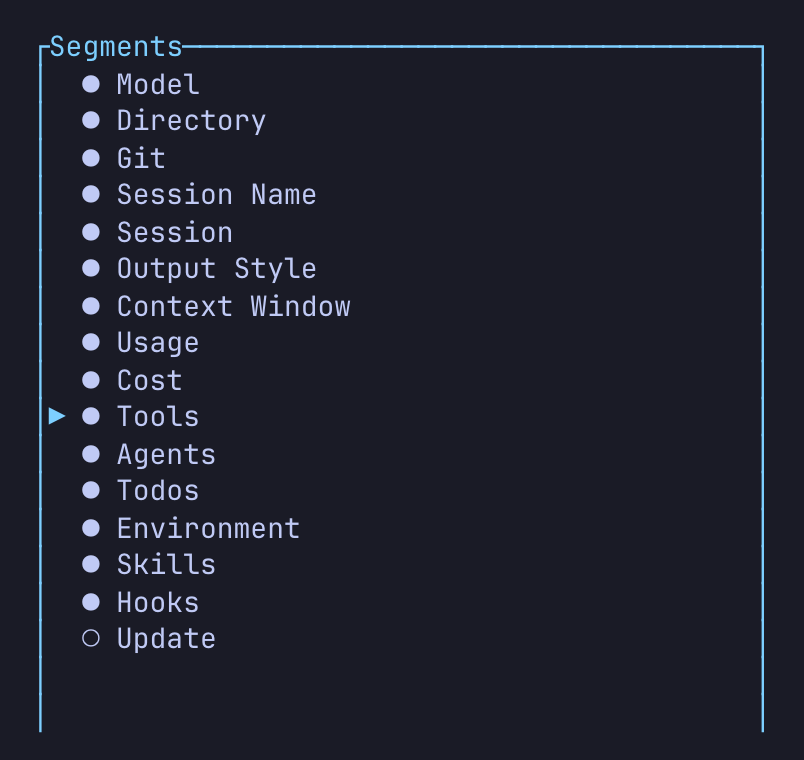
ccline --config lists every segment in the order it draws.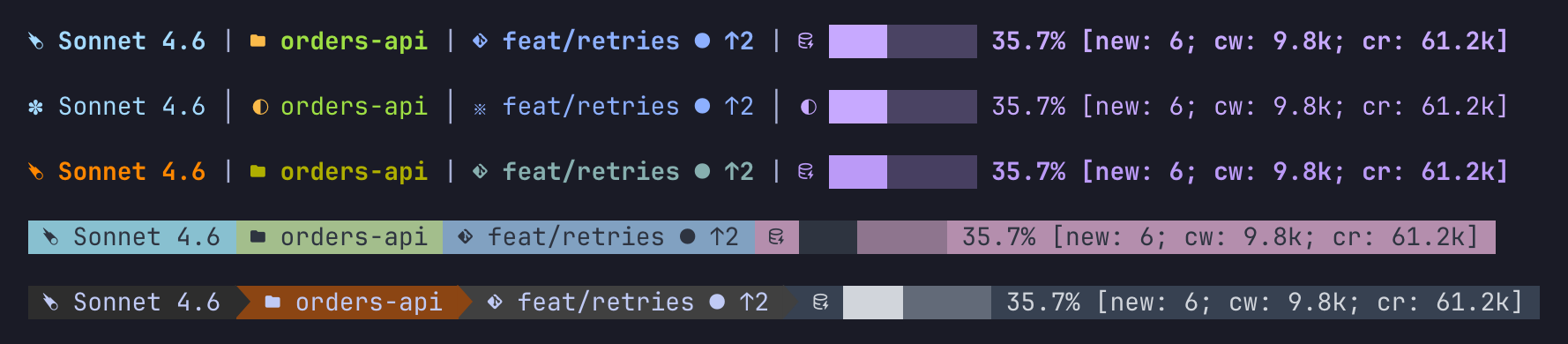
Install
- Build it.
git clone https://github.com/lr00rl/CCometixLine && cd CCometixLine && cargo build --release - Put the binary where Claude Code looks.
mkdir -p ~/.claude/ccline && cp target/release/ccometixline ~/.claude/ccline/ccline - Point Claude Code at it. In
~/.claude/settings.json, and in each other profile’s:"statusLine": { "type": "command", "command": "~/.claude/ccline/ccline", "padding": 0 } - Turn on the lines you want. A fresh config shows the first two lines; docs/config.toml.example has every line on.
$ ~/.claude/ccline/ccline --help
High-performance Claude Code StatusLine

Usage: ccometixline [OPTIONS]

Options:
  -c, --config                         Enter TUI configuration mode
  -t, --theme <THEME>                  Set theme
      --patch <PATCH>                  Patch Claude Code cli.js to disable context warnings
      --logto <LOGTO>                  Log output path (file or directory)
      --loglevel <LOGLEVEL>            Log level: debug | info | error (default: info) [default: info]
      --codex                          Read status from OpenAI Codex CLI rollout sessions instead of stdin (codex has no external statusline hook; use this from tmux/sidecar)
      --codex-session <CODEX_SESSION>  Explicit codex rollout .jsonl path (implies --codex)
      --kimi                           Read status from Kimi Code CLI sessions instead of stdin (kimi-code has no external statusline hook; use this from tmux/sidecar)
      --kimi-session <KIMI_SESSION>    Explicit kimi session dir or wire.jsonl path (implies --kimi)
  -h, --help                           Print help
-V, --version Print version--codex, --kimi and the two logging options are the fork’s; --patch, which edits Claude Code’s cli.js to drop the context warnings, is upstream’s. docs/data-flow.md walks through where every segment gets its data, and docs/multi-agent.md covers the payload dialects.
Limits
- The npm package and the release archives install upstream’s build, without any of this. The fork comes only from
cargo build. - An agent’s duration on the agents line is estimated from its position in the transcript, not from timestamps, and a hook counts as running when its event is less than five seconds old.
- In
--codexand--kimimode the usage segment still reads the Claude login, and the environment line still describes Claude Code’s files. - The segments that read the transcript scan it from the start on every refresh.
The statusline pictures come from a scratch home with a made-up project, a made-up transcript and placeholder quota numbers in the usage cache, rendered by the real binary; the configurator’s preview is its own built-in sample.
- Source: github.com/lr00rl/CCometixLine (MIT, like upstream)