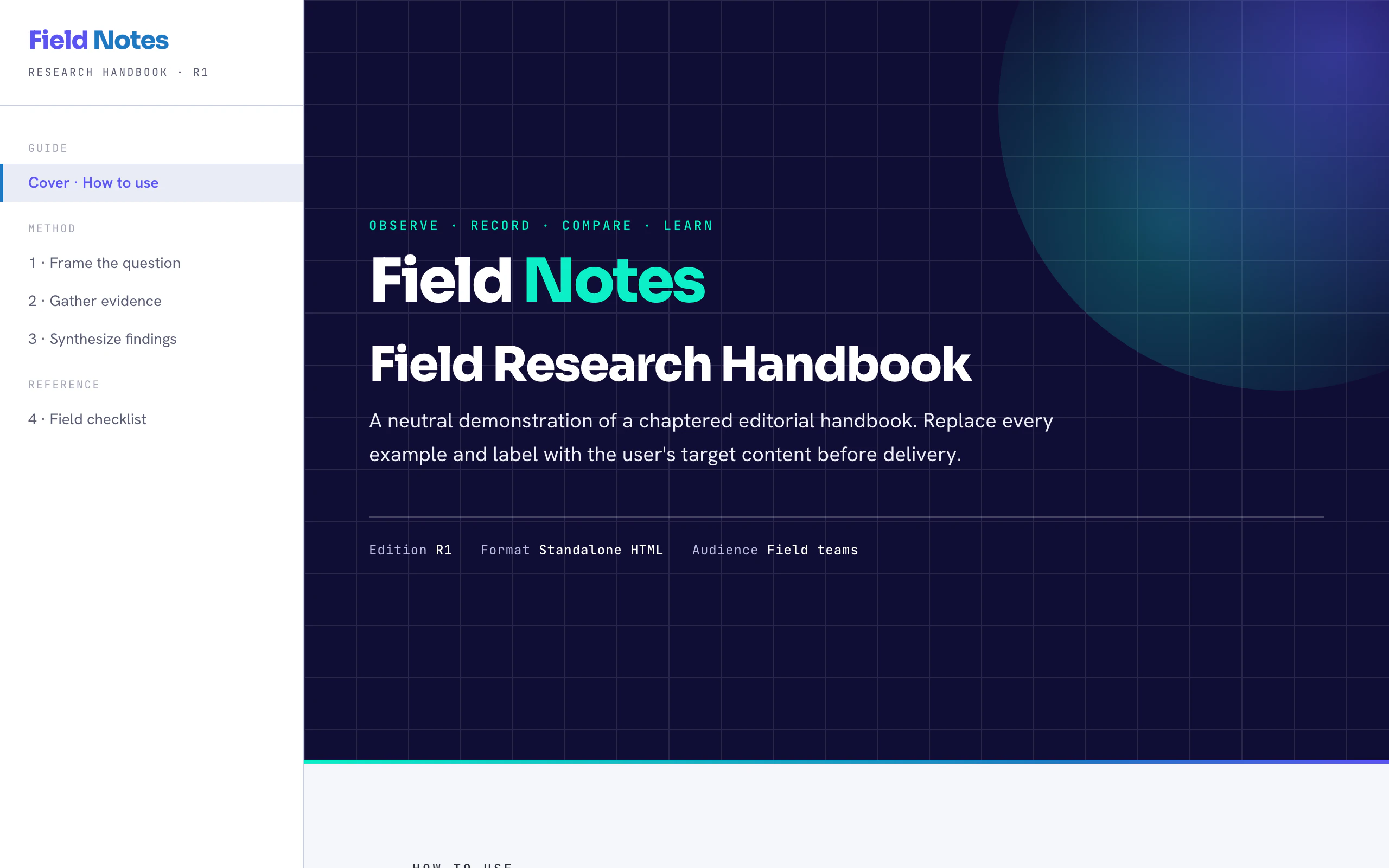
A coding agent asked for “a nicer page” tends to reach for the same defaults every time. These two skills give it a method instead, written down as files the agent reads when the task calls for them. They are for people who build interfaces and documents with Claude Code or Codex and want the agent to settle what the page is for before it decides how the page looks, and to check the result before it calls the work done.
- What it is
- two agent skills, written as Markdown references with one Node validator
- design-intelligence
- routes design work into a Quick, Product or Deep lane, with 31 style playbooks and five token sets
- cd-html-design
- two templates for standalone HTML documents and a validator with four tests
- Works with
- Claude Code, through
install.sh; each skill also carries display metadata for Codex - Language
- English, apart from three Chinese trigger words kept so prompts in Chinese still match
How a skill reaches the agent
A skill is a folder with a SKILL.md. Its frontmatter has a name and a description, and the description decides when the agent picks the skill up on its own, so it lists the situations that should trigger it rather than only what the skill does. The body stays short; the heavy material sits in references/ and is read only when a step needs it. design-intelligence’s references run to about 29,000 words, and a quick palette question touches almost none of them.
The two skills split the work by artifact, not by audience. Static documents, reports, handbooks and dense print-style pages go to cd-html-design. Operable product UI, interactive dashboards, workflow tools and marketing pages go to design-intelligence. An internal report and a public report go to the same place.
design-intelligence: route first
Three lanes, lightest first
The skill’s first rule is to pick the lightest lane that can still give a responsible answer.
flowchart TD
  A[Design task] --> B{Flows, state or recovery?}
  B -->|no| Q[Quick path]
  B -->|yes| C{High stakes?}
  C -->|no| P[Product path]
  C -->|yes| D[Deep gate]
A palette, a single component or a simple page takes the Quick path. A product flow, a form, a dashboard or a workflow tool takes the Product path, which asks for a short spine first: the person and the outcome, the task and its system boundary, how the user recovers, the platform and input, the material risks and states. Platform work, hardware, AI, privacy and anything with high consequences goes through the Deep gate.
Escalation runs one way. A Quick task that turns out to change navigation, add a multistep flow or persist state moves up to Product, and a Product task that touches a Deep trigger moves up again. Low-risk visual work never has to carry review boilerplate it does not need.
Only after the lane is chosen does style come in. The skill derives a style from the product’s job, its audience and how often people use it, in three layers: a chassis that carries usability under repetition, the product’s real objects as evidence, and one accent that must not carry the core meaning. The 31 style playbooks, in seven families from Liquid Glass to CJK information density, each give the palette, type, geometry, motion and failure modes of one style, and five of them come with drop-in CSS tokens. A short list of defaults is banned unless the brief asks for it: purple gradients on dark, walls of identical cards, Inter everywhere, emoji as icons and blur as garnish.
You can see the method on this site. The design notes of TLS Companion are written in its terms: a dense instrument-panel chassis, the real bytes, code and secrets as evidence, and the wire as the accent, with records drawn to byte scale as the one signature element.
cd-html-design: one house style for documents
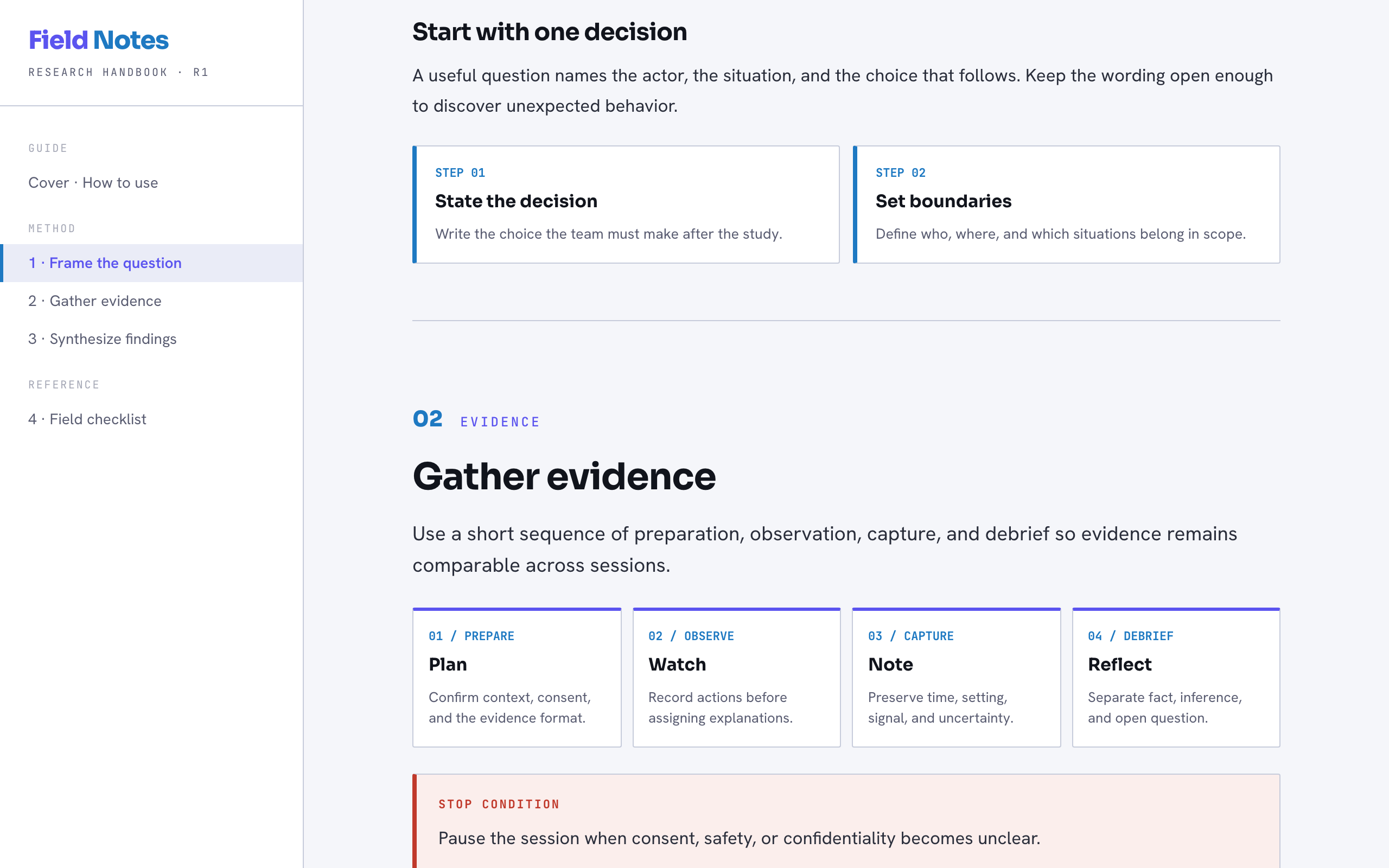
The second skill writes standalone HTML in one restrained style: system fonts, hairline borders, flat surfaces and semantic colour, with every wide structure given its own scroll. It has two modes, and a page uses exactly one.
| Mode | Use for | Navigation | Corners |
|---|---|---|---|
light-document | Guides, specifications, process maps, reports | Sticky section bar across the top | Soft, 7 to 14 px |
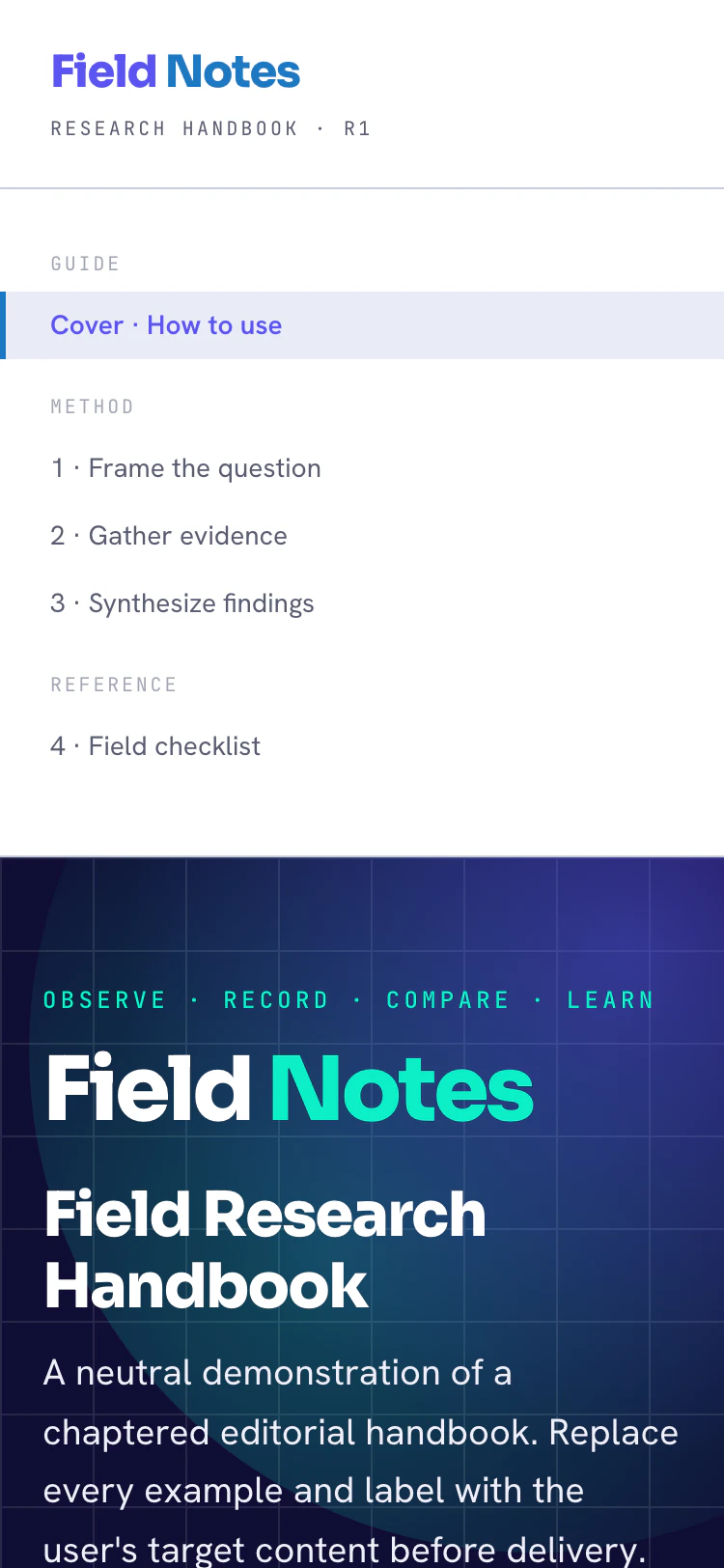
editorial-handbook | Chaptered manuals, training books, references | Sticky 280 px chapter rail, stacked below 920 px | Sharp, 2 px |
The contract: structure, never content
The skill’s contract is to transfer hierarchy, spacing, geometry, colour roles and interaction patterns, and never the wording, names, numbers or examples of the reference. Every sentence in the templates is neutral demonstration copy that has to be replaced. Its quality gates make that a search: list the source’s terms, grep the output, and allow zero unexplained matches.
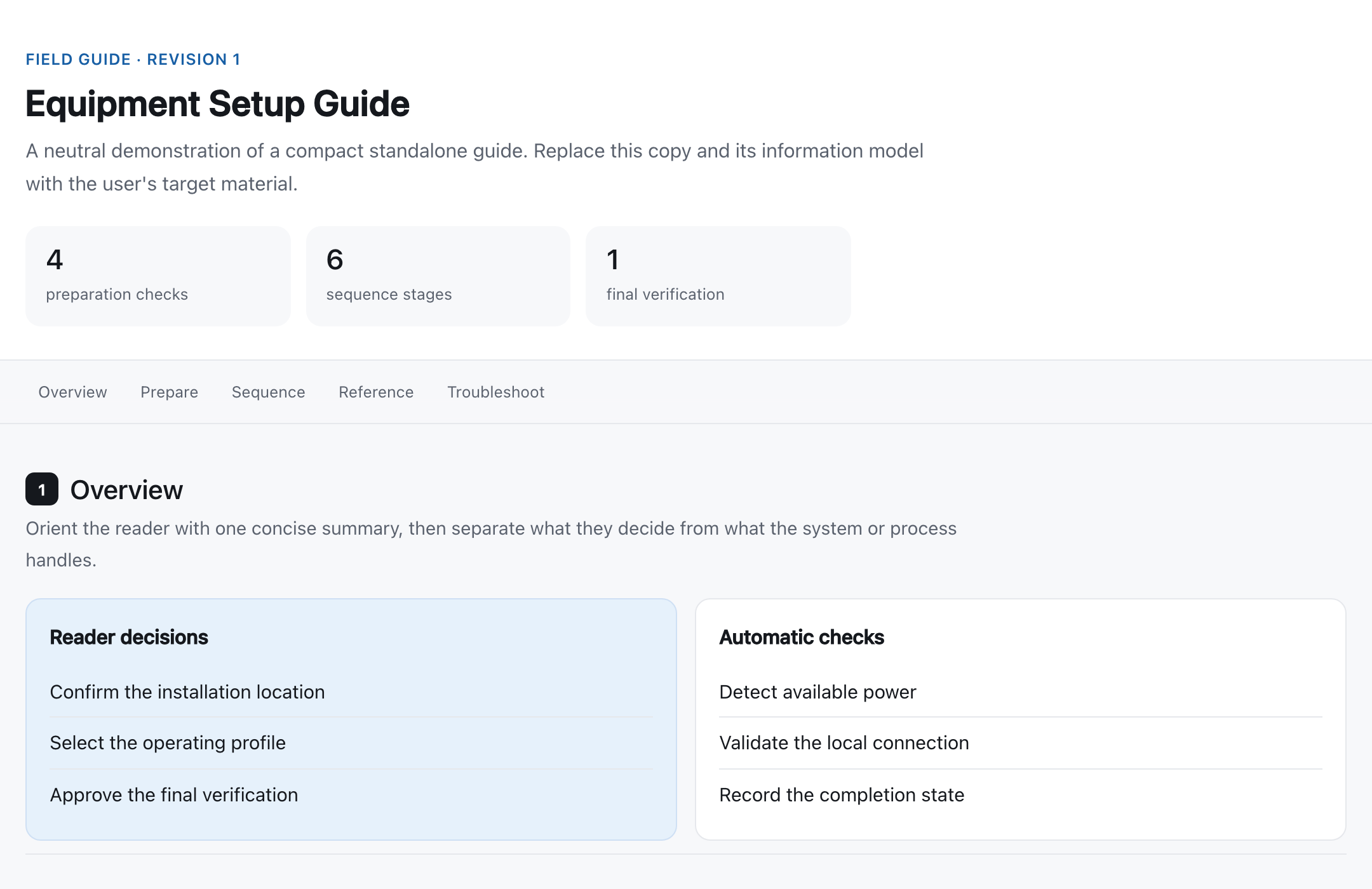
Before and after
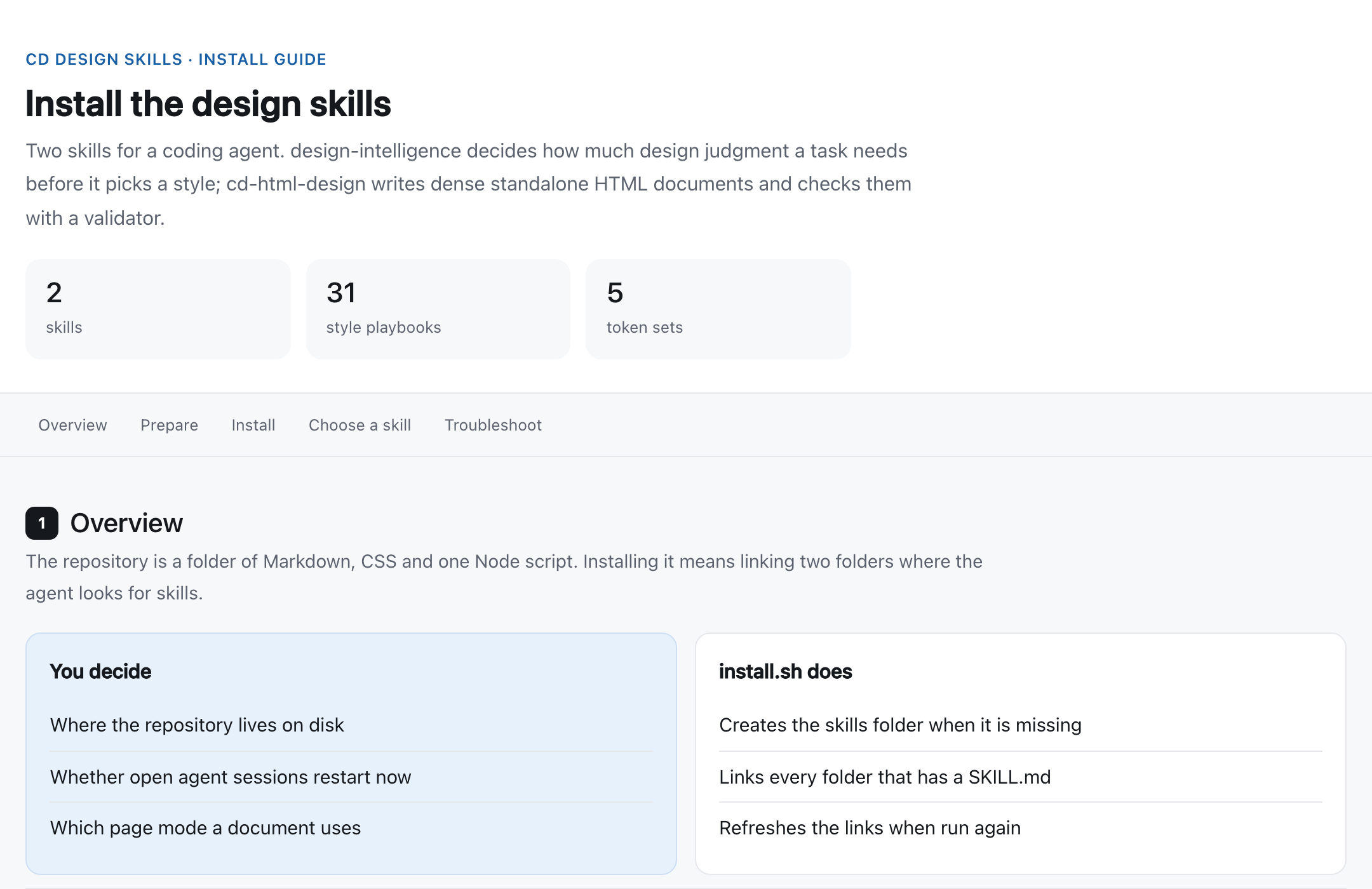
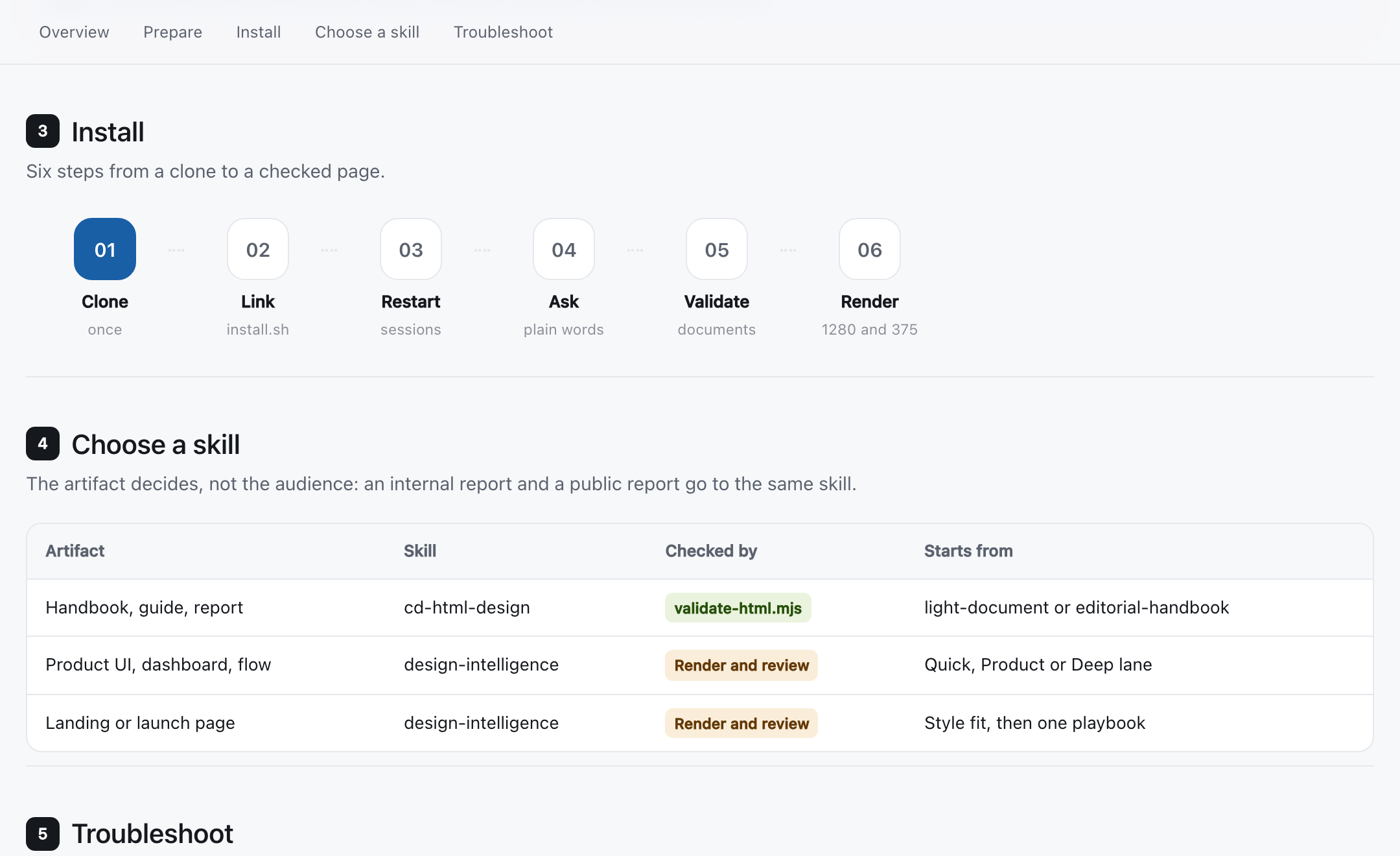
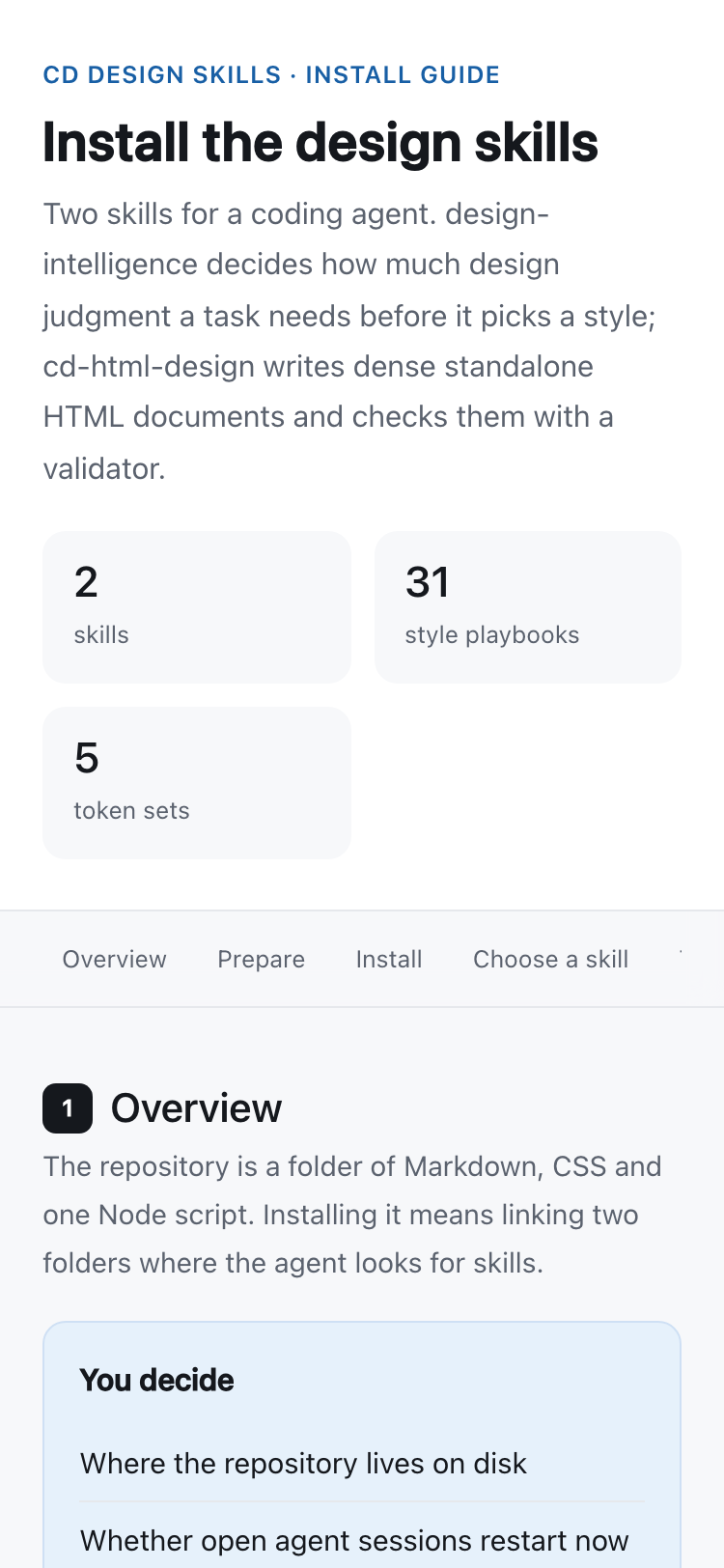
Here is the light-document template as it ships, and the same template with all of its demonstration copy replaced by real material: the install guide for this repository.
What carried over
The section numbers, the sticky section bar, the step rail that scrolls sideways on a phone, the table inside its own overflow frame and the callout styles all came from the template. Every word and label came from the repository. The coloured labels in the table also carry text, so the colour never has to explain itself.
The validator then checks the result. Here it is on a rough draft of the same page, and on the finished one:
$ node scripts/validate-html.mjs draft.html --mode light-document
{
  "file": "draft.html",
  "mode": "light-document",
  "ok": false,
  "errors": [
    "Missing a non-empty html lang attribute.",
    "Missing viewport metadata.",
    "Missing semantic <main> content.",
    "Missing at least one semantic <section>.",
    "Missing visible keyboard focus treatment with :focus-visible.",
    "Missing responsive @media CSS.",
    "Motion is present without a prefers-reduced-motion: reduce fallback.",
    "Fragment link #troubleshooting has no matching id.",
    "Expected data-cd-mode=\"light-document\".",
    "Missing core design token --cd-bg.",
    "Missing core design token --cd-ink.",
    "Missing core design token --cd-line."
  ],
  "warnings": [
    "Fragment navigation should have an accessible label."
  ]
}
$ node scripts/validate-html.mjs install-guide.html --mode light-document
{
  "file": "install-guide.html",
  "mode": "light-document",
  "ok": true,
  "errors": [],
  "warnings": []
}
Passing the validator is necessary, not sufficient. The skill also asks for a render at desktop width and at 375 pixels, every navigation link activated, a tab through every control, and a visual score of at least 90 out of 100 against the mode’s rules.
Install and use
- Clone the repository anywhere you keep source code.
- Run
install.sh. It links each folder that has aSKILL.mdinto~/.claude/skills, creates that folder if needed, and refreshes the links when you run it again. If a real folder with a skill’s name is in the way, it prints a warning and leaves it alone. SetCLAUDE_SKILLS_DIRto link them into another agent’s skills folder. - Restart your agent sessions. Skills are found when a session starts.
- Ask in plain words. “Write a standalone HTML handbook for our release process” reaches cd-html-design. “Design the invite flow for team settings” reaches design-intelligence on its Product path. “Suggest a palette for this CLI’s landing page” stays on the Quick path.
$ git clone https://github.com/lr00rl/cd-design-skills ~/src/cd-design-skills
$ cd ~/src/cd-design-skills && ./install.sh
linked cd-html-design -> /home/you/src/cd-design-skills/skills/cd-html-design
linked design-intelligence -> /home/you/src/cd-design-skills/skills/design-intelligence
Done. Restart Claude Code sessions to pick up new skills.
How it is built
Almost everything is Markdown. design-intelligence has a SKILL.md of about 1,700 words with the routing, the eight-step workflow (frame, judge, structure, match, spec, build, enliven, verify) and the arbitration rules, and a references/ folder with the style playbooks, the style-fit model, a component adoption ladder, colour and type formulas, micro-interaction timings, a synthesis of Apple’s public design material, and nine fundamentals files on typography, colour, space, motion, interaction, responsive layout, UX writing, experience architecture and validation. cd-html-design has a SKILL.md of about 500 words, three references, the two templates, and validate-html.mjs with its tests, which run on Node’s standard library alone. Each skill has an agents/openai.yaml that gives Codex a display name and a default prompt.
Seven of the fundamentals files are adapted from Impeccable 1.3.0 under Apache 2.0, and four of the token sets come from another set of frontend design skills, as ATTRIBUTION.md records.
Limits
The validator reads the HTML as text and looks for patterns. It knows that a :focus-visible rule exists, not that the focus ring is visible; it knows a @media rule exists, not that the layout survives a phone. That is why the skill insists on rendering. The visual score is the agent’s own judgment against a rubric, not a measurement.
The skills only advise. An agent can still ignore a reference it never opened, and the lanes depend on the agent classifying the task honestly. The two templates are light only, and the handbook loads its fonts from Google Fonts, which the validator reports as a warning. One naming quirk: the folder is cd-html-design, but the skill’s own name is cd-design-skill, which is the name the agent lists and the one Codex’s default prompt uses.
Getting started
Clone github.com/lr00rl/cd-design-skills, run ./install.sh, restart Claude Code, and ask for a page. To check a document by hand, run node scripts/validate-html.mjs /absolute/path/page.html --mode light-document from skills/cd-html-design, and node --test tests/validate-html.test.mjs after you change the validator.